To ensure your progress in Ticarium and eliminate the risk of losing your account, you can use the feature to link your Yuyuto ID. With this system, your game data is stored in the cloud and becomes easily accessible from different devices. Even if you switch devices, you can pick up where you left off and continue your gaming experience seamlessly. Below, you’ll find the most frequently asked questions and a step-by-step guide regarding the process of linking and changing your Yuyuto ID.
How to Connect Yuyuto ID
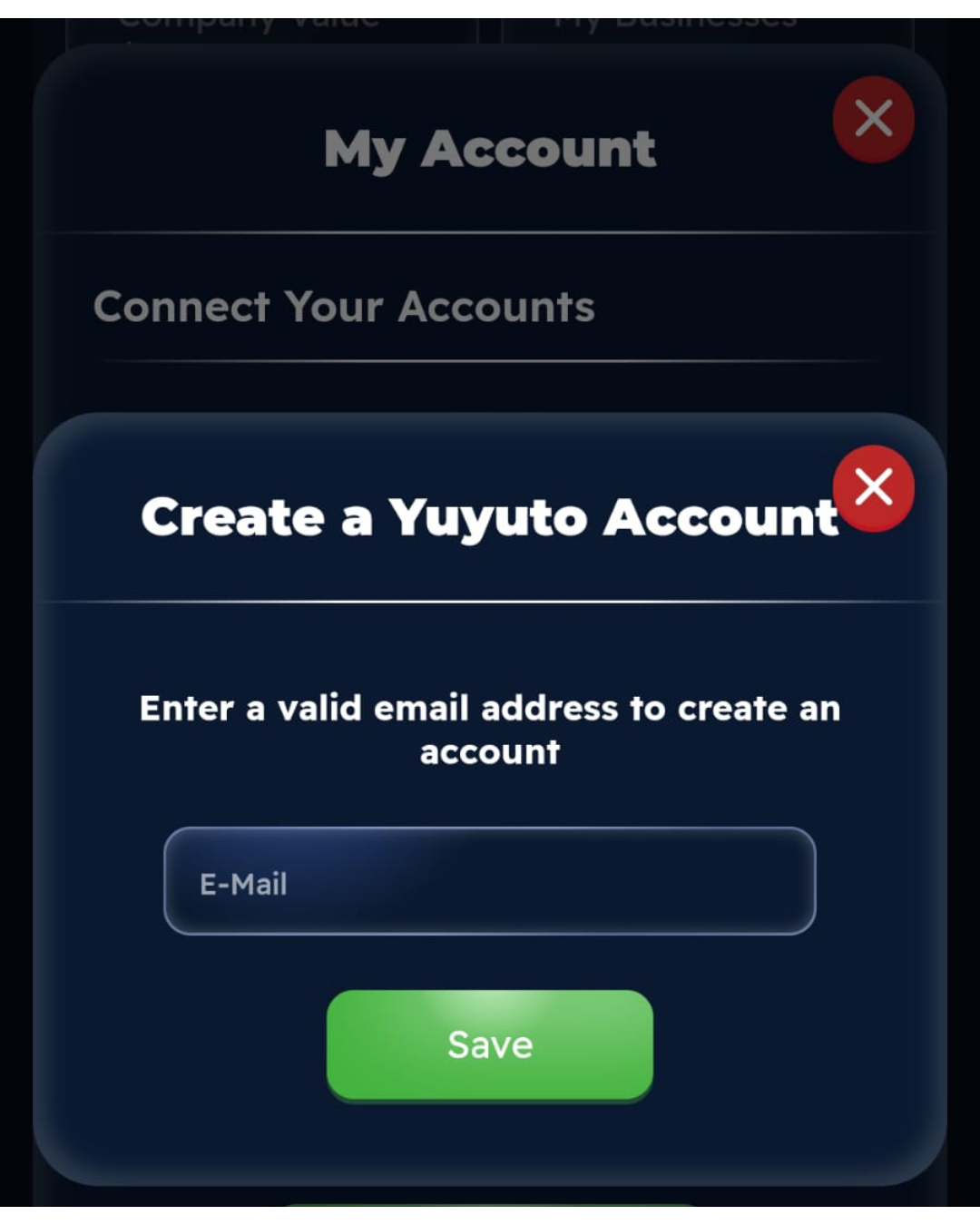
Step1 : Go to My Account -> Tap the “Tap to Link” button for Yuyuto ID and enter the email address you want to link in the box below, making sure to include all the necessary information.
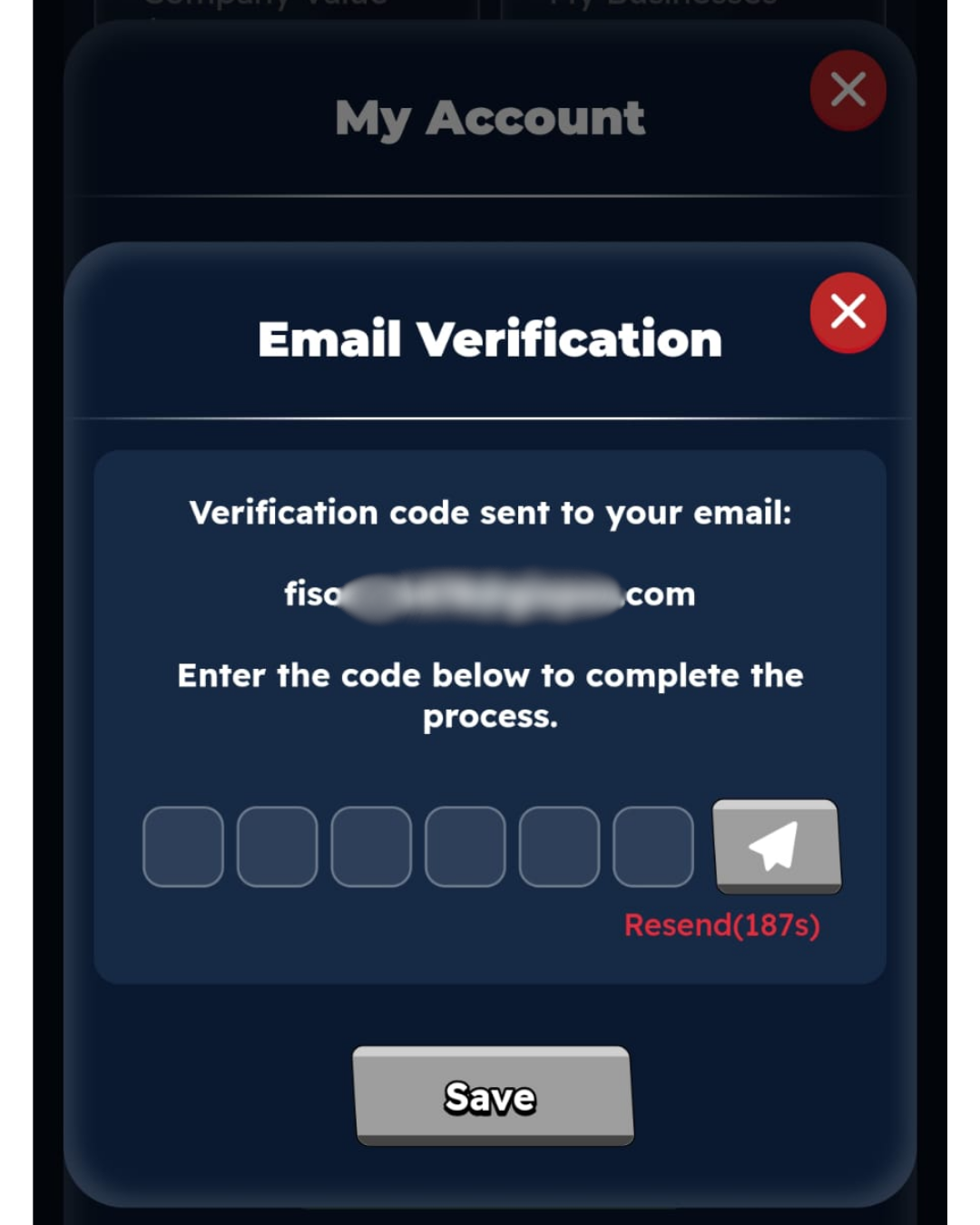
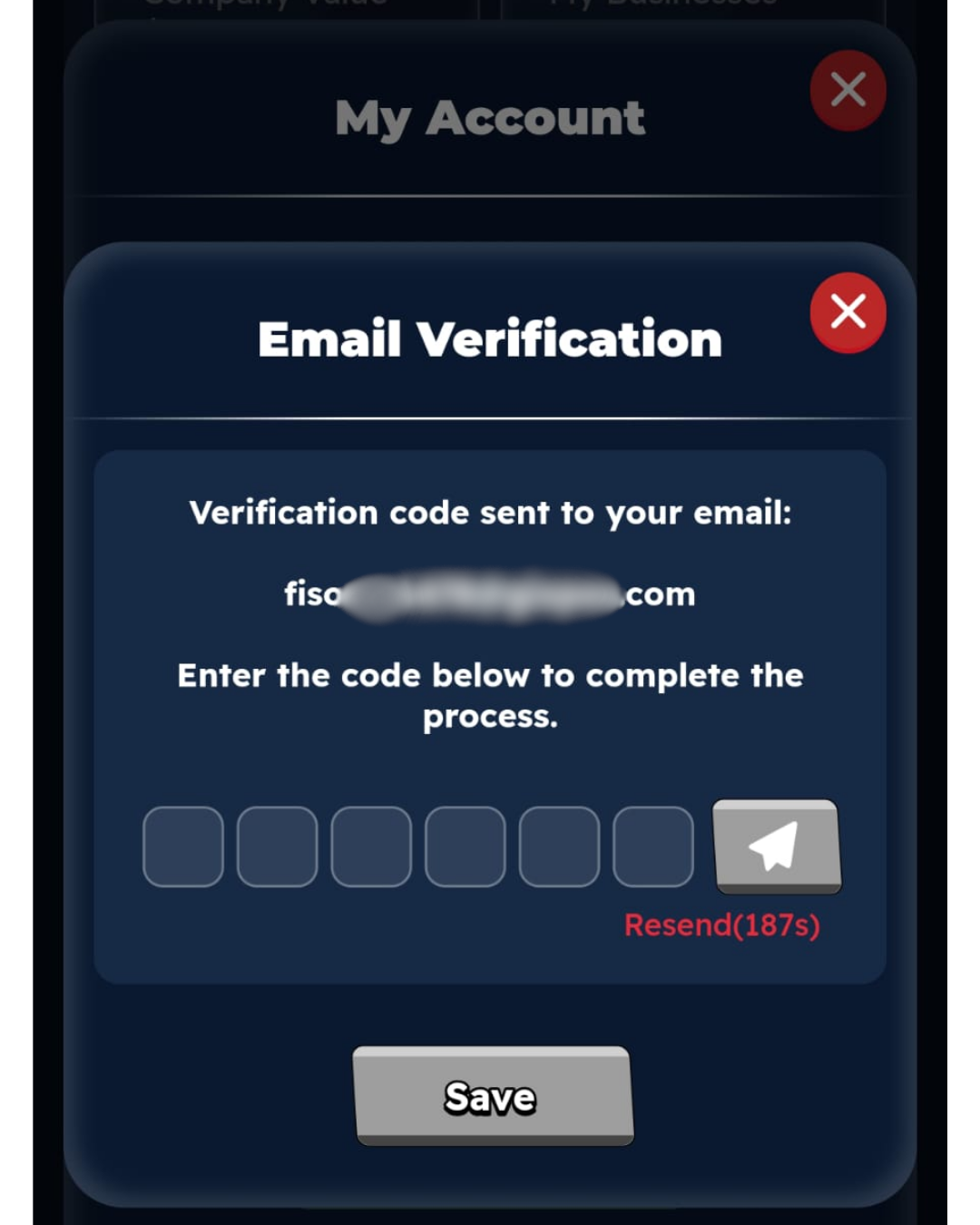
Step 2: Enter the verification code sent to the email address you provided exactly as shown, then click the “Save” button.
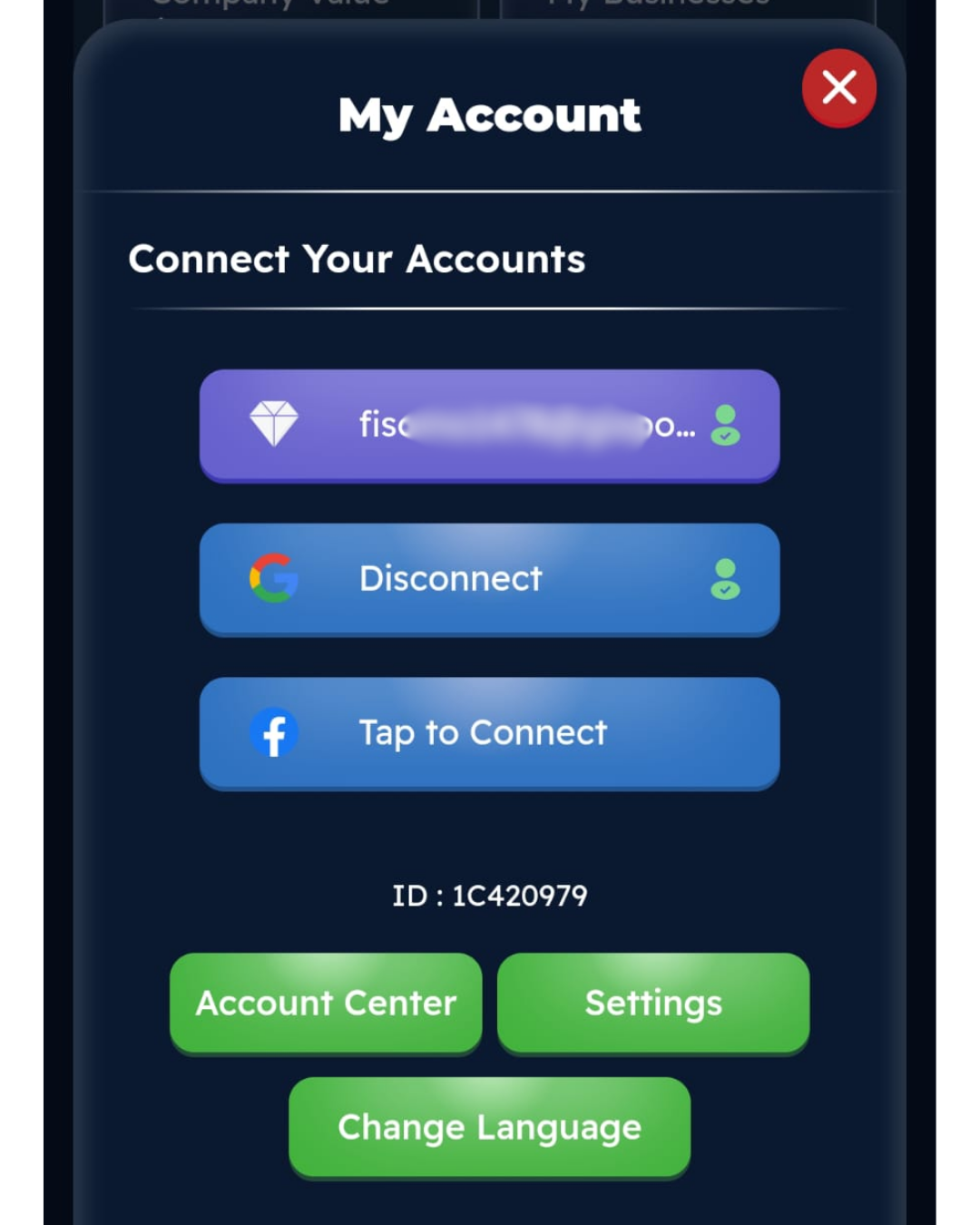
Step 4: Once you’ve completed all the steps, your Yuyuto ID link will look like this.
How do I disconnect my Yuyuto ID?
Step 1: Click on the Yuyuto ID link you’ve provided.
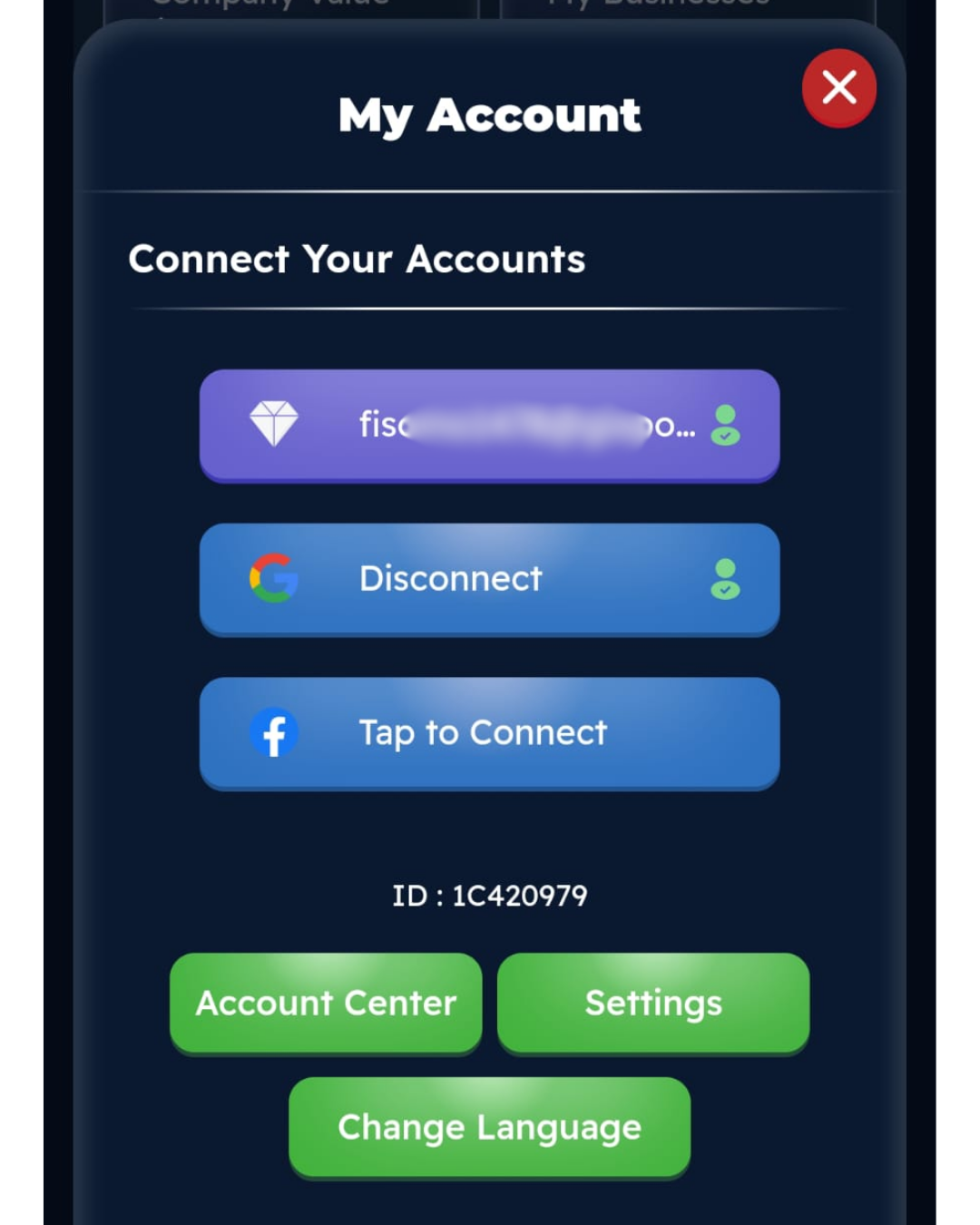
Step 2: Enter the verification code you received in your email exactly as shown, then click the Save button.
Step 3: When your account is disconnected, it will look like this. After this step, you can link a different Yuyuto ID.