This website uses only the necessary cookies required for the site's proper functioning. By using the website, you consent to all cookies in accordance with the cookie policy. To know more, refer Cookie Policy.
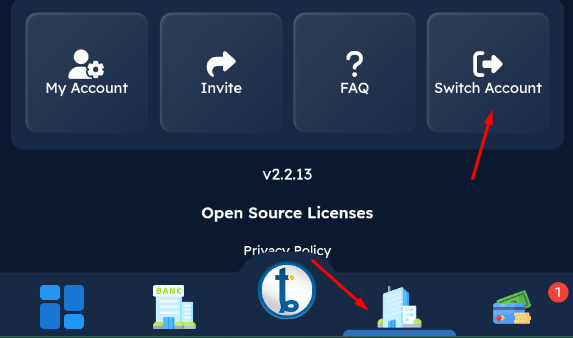
On the My Company screen, tap the " Switch Account" button.
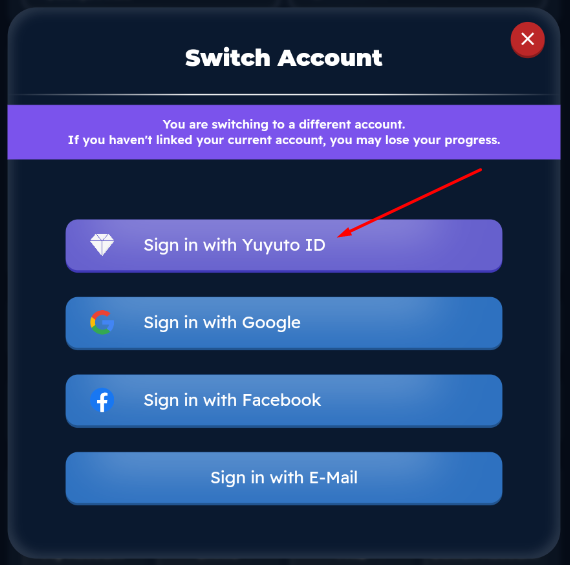
Tap the Sign in with Yuyuto ID button.
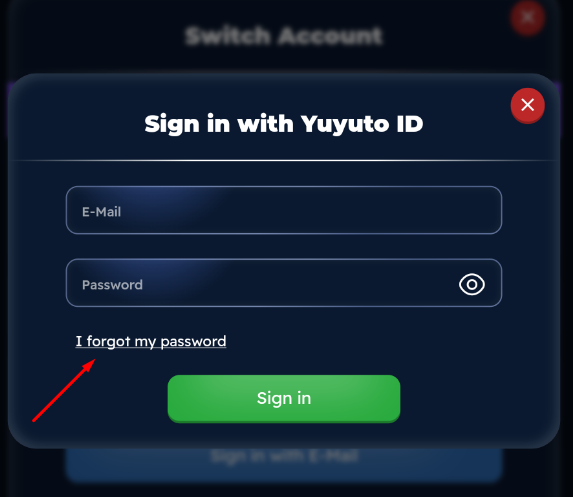
Tap the " I Forgot my password" link on the screen that opens.
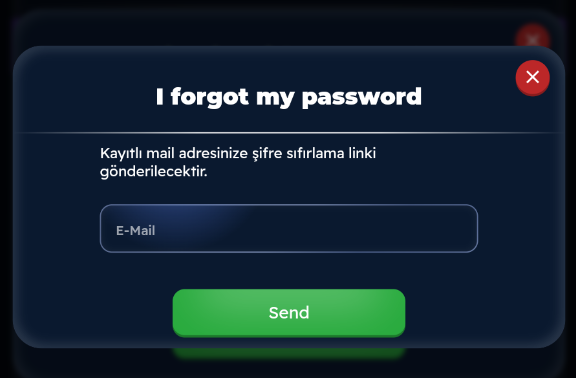
On the screen that opens, enter the email address of your Yuyuto ID in the email field and tap the "Submit" button. A password reset link will then be sent to your email address.
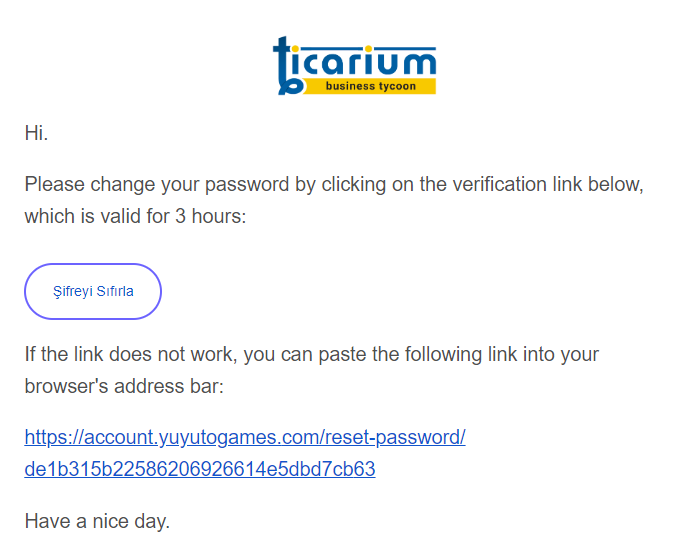
You will receive a mail like the one below. Tap the "Reset Password" button in this mail to open the password reset page.
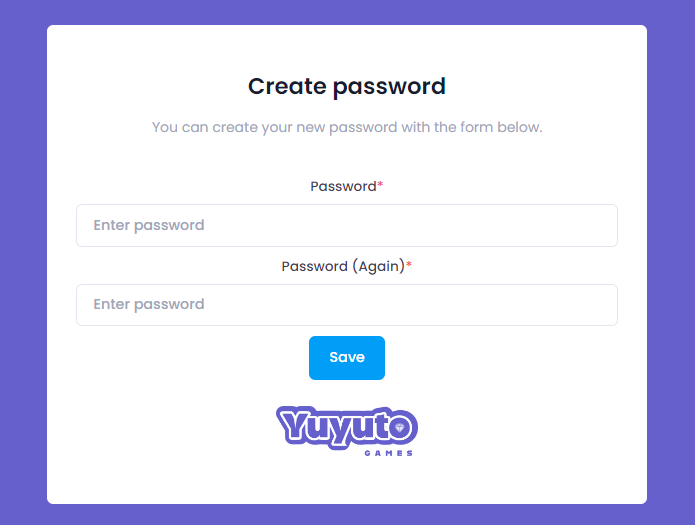
On the screen that opens, enter your new password and its repetition and tap the "Save" button and your password will be renewed.